Your playlist, organized the way it should be.
Open your M3U playlist or sign in to your Xtream server and see everything sorted into live TV, guide, movies and series. Built for the remote control, light even on basic devices.
Google Play and Amazon coming soon. Zappy TV is a player: it doesn't include any channels or content.
Everything to watch, nothing in the way.
M3U and Xtream playlists
Paste the playlist link or sign in with your provider's server, username and password. The app organizes everything on its own.
Live TV with a guide
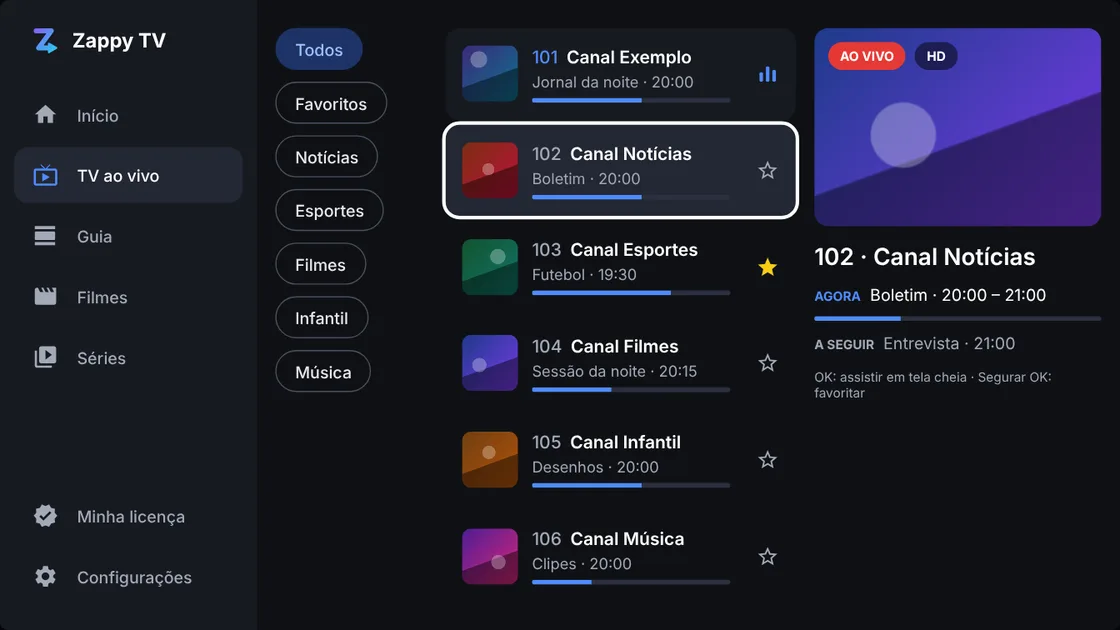
Channels by category, quick zapping and a program guide showing what's on now and next.
Movies and series
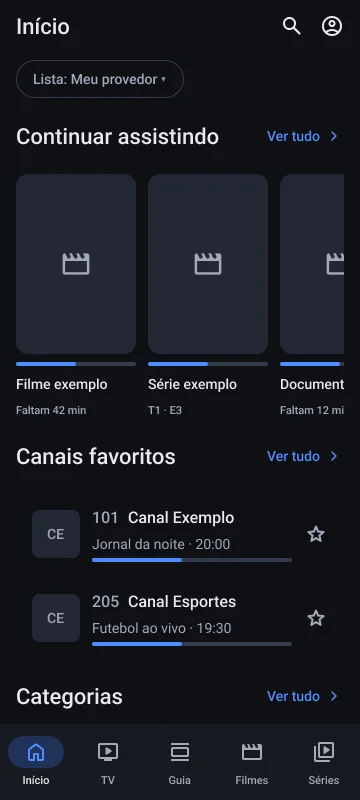
Each in its own area, with posters, seasons and episodes neatly organized.
Built for the remote control
Fast navigation with the D-pad, light and smooth even on TV boxes and Fire Sticks.
One license, up to 5 devices
The full version works on up to 5 devices: TV, phone and computer.
Activate the TV from your phone
No typing passwords with the remote: scan the QR code on the screen with your phone and you're done.
From download to screen in three steps.
Install the app
From Google Play on Android TV and phones, from the Amazon Appstore on Fire TV, or with the installer on Windows.
Add your playlist
Enter your provider's M3U link or Xtream login details.
Watch
Live TV, guide, movies and series show up already sorted. Just pick one.
Download Zappy TV
Choose where you'll watch. Free to download.
Android TV and Google TV
Installation and automatic updates through Google Play.
Fire TV
Fire TV Stick and Fire TV smart TVs, through the Amazon Appstore.
Android phone
Android 7.0 or newer, through Google Play.
Windows
Windows 10 or 11 (64-bit). Version 0.1.5, 92 MB .msi installer.
How to install on WindowsSHA-256: b8d91543ad51d975df89712d64095ae82d3259cf0370454726605fbe429a27c7
Frequently asked questions
Does the app come with channels?
No. Zappy TV is a player: you use the M3U playlist or Xtream login provided by your provider.
Which playlist formats are supported?
M3U playlists (by link or file) and Xtream server logins (server, username and password). The program guide (XMLTV) is read too.
Which devices does it work on?
Android TV and Google TV, Fire TV, phones with Android 7.0 or newer and computers with Windows 10 or 11 (64-bit).
Is the app free?
You can try everything for free for 7 days. After that, the app stays free with some features limited (they show a padlock). The full version unlocks everything on up to 5 devices. Details in the Terms of use.
Windows warned about an "unknown publisher". Is it safe?
The installer doesn't have a digital signature yet, so Windows shows this warning. Click "More info" and then "Run anyway". To check the file, compare the SHA-256 code shown on the Windows card with the result of the Get-FileHash ZappyTV-windows.msi command in PowerShell.
How do I delete my account?
In the app, under My license, or on the Delete account page.